
The website for AI film makes
Information: On this site useful information is published on how to create AI Videos, AI images and AI audio with your own hardware. The information ranges from the hardware requirements, through the neccessary software tools and AI models you need to obtain, all the way to AI prompt examples and best practices, that will make your organization more productive.
Software tools: Information is provided on how to find and download the neccessary open source, and commercial AI models and software tools neccessar to make images and videos with AI. Step-by-step software installation manuals with video instructions are published to speed up the process of obtaining such a system.
Hardware: Ready made AI video workstations and AI video servers complete with all the neccessary software preinstalled can be obtained directly from us. You can check out our recommended configurations, and you can order the hardware with all the software installed directly from us or through a local hardware vendor.
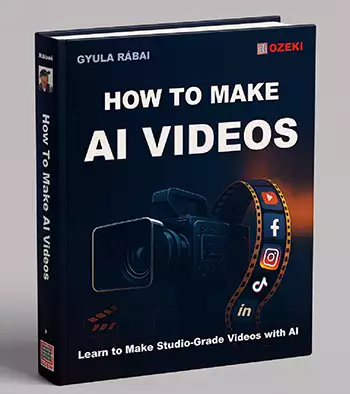
15 chapters
280 printed pages
100 video examples

How to Make AI videos (Book)
Written by Gyula RábaiLearn about AI video generation by purchasing this amazing book. How to Make AI Videos by Gyula Rábai is the best technical handbook available today for learning about AI video production. Across fifteen easy to read chapters where Rábai distills the complete workflow, from local GPU selection, to prompt-engineering syntax to get the best results with leading AI video models. The book contains great useful insights, instructions, prompt templates, information on what works and what not, and a clear guideline on how to create studio-grade videos with AI. (ISBN 978-615-02-4829-5)
Videcool
AI image gen
AI audio gen
AI video gen
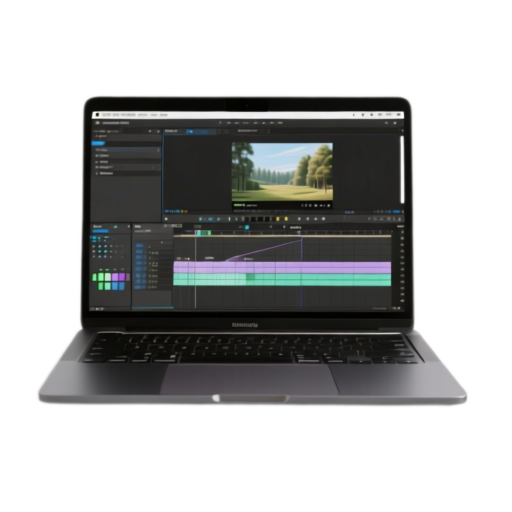
Videcool (Software)
On-premises AI Image and AI Video genertor softwareDiscover the power of owning your professional on-premises AI image and AI video generation software and using your own GPUs to create amazing visual content with local open-source AI image and AI video models. By installing the Videcool software on your computer you will no longer have to pay subscription fees or pay for credits for each job you submit. You can use your own GPUs to help you with AI powered image and video creation and editing.
Resources on this website
Tools: We have also published some free on-line tools for you to help you with everyday tasks related to AI film making and AI content creation. These tools run in your browser and work with Video, Image, Audio and Text files. When you use these tools the content does not leave your system. You can use these tools free of charge.
Free On-Line Tools



Examples
Turn on the sound!
Example #1.
Character videos
Multiple characters in the same role, or a single character in different outfits.
Input: character images
Uses: driving video
Example #2.
Product videos
AI product show-case. Put any product on a model, and display as a lifestyle video.
Input: product images
Uses: text description
Example #3.
Influencer messages
Write text messages and let the speaker say it using any face, voice in any setting.
Input: text messages
Uses: speaker image, voice
Example #4.
Video series
Create a video series from starting images and text description of the video.
Input: character images
Uses: image to video
Why use your own hardware to generate AI content?
Creating content with privately owned systems is a better option than relying on cloud-based services for most individuals and organizations. A local system can guarantee data sovereignty, security, independence and better operational reliability. It is also a good investment. Generating content on a private system costs significantly less in the long run, than paying subscription fees and purchasing credits from 3rd parties.