
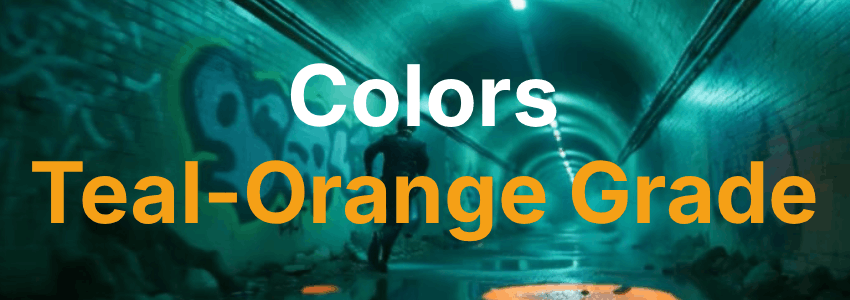
AI Video Editing - Colors - Teal-Orange Grade
Teal-orange grade is one of the most recognizable color grading styles in AI video generation, pairing cool teal shadows with warm orange highlights to create the signature blockbuster look audiences instantly associate with high-stakes action and cinematic polish. This complementary contrast makes characters leap off the screen while keeping environments rich and dimensional. This page explains what the technique is, when to use it, and how it compares to other grading styles, along with a ready-to-use example prompt.
What is the "Teal-Orange Grade" color technique?
Teal-orange grade is a color grading style that applies cool teal tones to the shadows and warm orange hues to the highlights, creating the signature blockbuster look known for its skin tone separation and visual pop. This complementary contrast makes characters stand out against their environments while maintaining a cinematic, polished feel that audiences instantly recognize. Directors use teal-orange grading for action, adventure, and sci-fi films where they want a bold, energetic look that feels both modern and commercially appealing.
Example Prompt
"Cyberpunk underground chase, Neon 7500 K, full saturation, teal-dominant tunnel, single magenta hologram accent, Teal-orange grade, volumetric neon smoke, detective sliding along graffiti-covered walls, glowing puddles reflecting neon lights, high-energy futuristic tension."
Example Video
When to use the Teal-Orange Grade technique?
The teal-orange grade technique works best when a scene calls for bold visual contrast, cinematic energy, or the blockbuster aesthetic that audiences associate with high-budget productions. It is ideal for action sequences, sci-fi environments, and adventure scenes where characters need to pop against their surroundings. The complementary color split also excels at separating skin tones from backgrounds, making it a go-to choice for dialogue scenes in stylized settings. Avoid this technique for gentle, naturalistic, or period-accurate scenes where a more subdued palette like Kodak 2383 or Fujifilm 3510 would better serve the mood.
- Scene needs blockbuster cinematic energy
- Characters must stand out from their environment
- Action, sci-fi, or adventure genre fits the tone
- Skin tone separation from background is important
- A bold, commercially appealing look is desired
Pros and Cons of the Teal-Orange Grade
| Pros | Cons |
|---|---|
| Instantly recognizable blockbuster look that feels cinematic and polished | Overused in mainstream media, which can make scenes feel generic or clichéd |
| Excellent skin tone separation, making characters pop against any background | Can feel unnatural or forced in scenes that call for subtlety or realism |
| Complementary contrast creates visual energy and keeps the audience engaged | Limited emotional range; struggles to convey warmth, intimacy, or quiet contemplation |
Recommended book

Learn more about AI video editing
Learn more about AI video editing by reading the book How to Make AI Videos by Gyula Rabai. In this book you can find very important information about: Camera Movement, Lighting, Colors, Composition, Consistency, Character emotion, Character motion, Video style, Action Control and Sound design This information will make your videos more professional, and more engaging.
Get your copy here:
https://videcool.com/p_3707-how-to-make-ai-videos-by-gyula-rabai-book.html
Conclusion
The teal-orange grade is a powerful tool for filmmakers and prompt engineers who want to inject cinematic energy and blockbuster polish into a scene. By leveraging the complementary contrast between cool teal shadows and warm orange highlights, it creates a visual dynamic that makes characters leap off the screen and environments feel rich and dimensional. It is not the right choice for every scene, but when bold visual contrast, skin tone separation, or commercial appeal are the goal, few grading styles communicate them as effectively. Used thoughtfully alongside more subdued color grades, it becomes a versatile addition to any AI video generation toolkit.