Chapter 6 - Camera control
Colin Trevorrow
Camera movements add life, emotion, and narrative depth to your videos. To get your audience engaged, proper camera angles, shot sizes, motions, movements, lenses, and focus should be specified in AI video prompts. Use these elements to describe scenes, ensuring the AI interprets your vision accurately.
To make the camera follow your instructions, it is important to understand the proper prompt structure and the basic building blocks of camera prompts. Every camera-related instruction follows a simple formula that combines angle, shot size, movement, lens, and focus. Think of it as a shorthand that communicates your visual intent to the AI. By mastering this syntax, you’ll be able to create precise and repeatable results in your generated video clips.
Quick-start syntax
Structure for camera control prompts:
camera [angle] [shot size] [movement] [lens] [focus]
All fields are optional. Omitting any term keeps a default value for that parameter.
Camera angle
Camera angles do more than just show a subject, they define how the audience feels about them. Whether you want a character to appear powerful, vulnerable, or unsettling, the angle sets the emotional tone. Choosing the right angle in your prompt helps the AI reinforce the mood and perspective of your scene, making the visuals resonate more deeply with viewers.
Camera angles influence how viewers perceive subjects, conveying power, vulnerability, or disorientation. Choose angles to enhance storytelling.
The most common angles are low angle, high angle, eye level, over the shoulder and aerial angles. The most interesting is probably the so called “dutch angle shot”.
A low-angle shot is filmed with the camera positioned below the subject, looking upward toward it. This angle typically makes the subject appear larger or more dominant, powerful, intimidating, or heroic, imposing or in control. It’s the opposite of a high-angle shot, which is filmed with the camera positioned above the subject, looking downward at it. This downward perspective tends to diminish the subject, making them look smaller or weaker, convey vulnerability, powerlessness, or inferiority.
A dutch angle shot (also called a dutch tilt, canted angle, or oblique angle) is a camera technique where the camera is intentionally tilted to one side so the horizon line is no longer level. This creates a slanted frame, often conveying unease, tension, psychological distress, or a sense that something is "off" in the scene. It’s commonly used in horror, thrillers, or psychological dramas to subtly disturb the viewer’s sense of normalcy.
The following table lists the “angle keywords” you can use in your AI video prompts for the desired effect:
| CAMERA ANGLE | ||
|---|---|---|
| Keyword | Effect description | Prompt example |
| low angle shot | Camera looks up; subject appears dominant or heroic. | camera low angle on the cyborg |
| high angle shot | Camera looks down; subject appears small or vulnerable. | high angle shot of the deserted street |
| extreme high angle shot | Almost 90° downward; reveals patterns, layout, isolation. | extreme high angle bird’s-eye view |
| over-the-shoulder shot | Places viewer behind a character, establishing POV or relationship. | OTS of hacker typing on holographic keyboard |
| eye-level shot | Neutral angle at subject's eye level for relatability and realism. | everyday dialogue in an eye-level shot for intimacy. |
| dutch angle shot | Tilted horizon; tension, madness, or instability. | Dutch angle 15° creates unease |
| aerial shot | Camera in free air; establishes geography, scale, grandeur. | aerial shot at sunrise over cyber-city skyline |
Table 6.1 – Camera angle keywords
It is worth mentioning that camera angles are largely affected by the type of camera mount used. AI video models were trained with information referring to camera mounting options. Including camera mounting options in your prompts allow you to shape the perspective the viewer experiences. The most common camera mounting options are: handheld, tripod, gimbal, crane and drone. To achieve better results, you can add one of the following mounting options to your AI prompts.
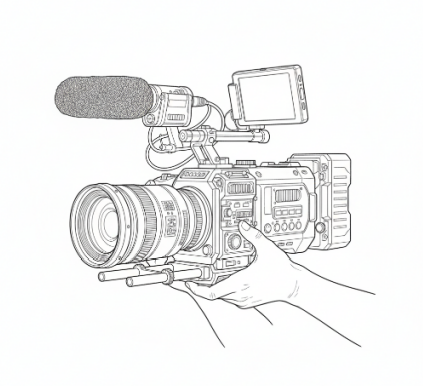
A handheld camera is a camera designed to be held and operated directly by hand, rather than being mounted on a tripod, crane, or other stabilizing equipment. Handheld camera use is great for making the audience feel unease. For example, in Saving Private Ryan (1998), the handheld camera during the Omaha Beach sequence creates a chaotic, immersive feel, making the audience experience the intensity and disorientation of battle. Handheld cameras can produce natural and dynamic footage, adding a realistic or immersive feel to videos. This feeling is also represented in AI videos, as AI video models add camera shake when they are prompted with the handheld camera keyword.
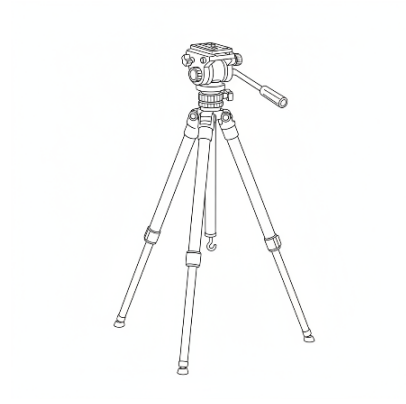
A camera tripod is a three-legged support device used to stabilize a camera during photography or videography. It provides a steady platform, helping to eliminate camera shake and allowing for sharp, clear images, especially in low-light conditions or during long exposure shots. It is great for indoor shots. In Rear Window (1954), Alfred Hitchcock often uses a locked-off tripod to frame scenes from a single vantage point, allowing suspense to build as viewers observe events unfold within a confined space.
When you write AI prompts, you must not forget, that tripods are adjustable in height and angle, enabling precise framing and consistent composition. They are also a great choice if you try to generate time-lapse videos, or studio work like videos with AI. The default camera mounting option for AI models is the camera tripod. If you don’t specify any camera mounting related keywords in your prompt the returned video will be returned as if it was filmed from a tripod.
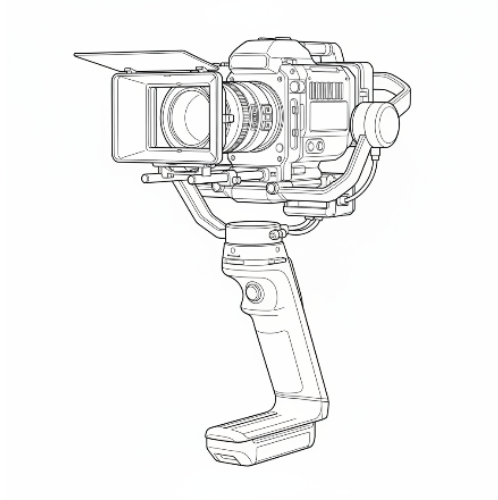
A camera gimbal is a device that stabilizes a camera while filming, allowing for smooth and fluid motion even when the operator is moving. In Birdman (2014), Emmanuel Lubezki’s fluid, gimbal-assisted shots move seamlessly through hallways and rooms, creating the illusion of continuous motion while keeping characters in focus and preserving spatial clarity.
A gimbal uses motors and sensors to counteract unwanted shakes, vibrations, and jerky movements, making it ideal for dynamic shots like walking, running, or tracking action scenes. As gimbals enable filmmakers to capture cinematic, professional-quality footage without the need for bulky rigs or cranes, the gimbal keyword also supports AI video makers to provide stability for the shots in action cinematography.
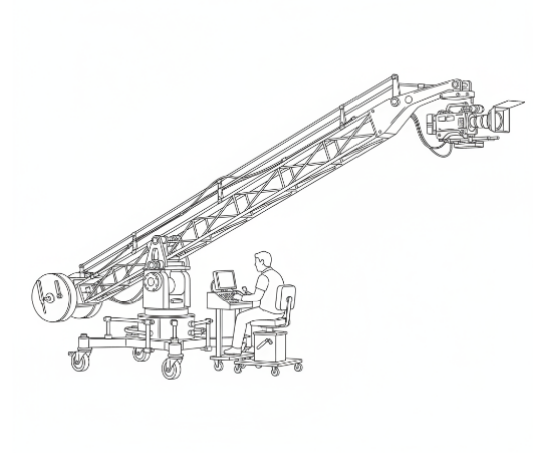
A movie camera crane is a mechanical device used in filmmaking to lift and move a camera smoothly through space, allowing for dynamic, sweeping shots that would be difficult or impossible to achieve by hand. In La La Land (2016), Damien Chazelle uses crane shots to rise above the city streets or descending into musical numbers, emphasizing scale and spectacle while smoothly transitioning between characters and environments.
Cranes are designed to provide vertical and horizontal movement, enabling filmmakers to capture high-angle views, dramatic overhead shots, and fluid tracking sequences. They are commonly used in professional film and television production to add depth, scale, and visual interest to a scene.
One of the main advantages of a camera crane is its ability to create smooth, cinematic motion. By referring to “camera crane” in an AI prompt, AI film makers can achieve slow, controlled movements that enhance storytelling and add a sense of grandeur or drama to a scene. Cranes also allow for shots that transition seamlessly from ground level to aerial perspectives, making them highly versatile tools in a director’s arsenal. While traditional cranes are large and require a skilled crew to operate, modern innovations include compact, motorized, and robotic cranes that can be operated with minimal personnel. AI cranes on the other hand require no operating personal at.
In addition to their practical functionality, camera cranes contribute significantly to the visual language of filmmaking. Iconic crane shots have been used to establish locations, follow characters through complex environments, or emphasize emotional moments. Whether in blockbuster films, music videos, or live broadcasts, the movie camera crane remains an indispensable piece of equipment in real moves and an indispensable keyword option in AI prompts for AI video creators for achieving professional, high-impact visuals.
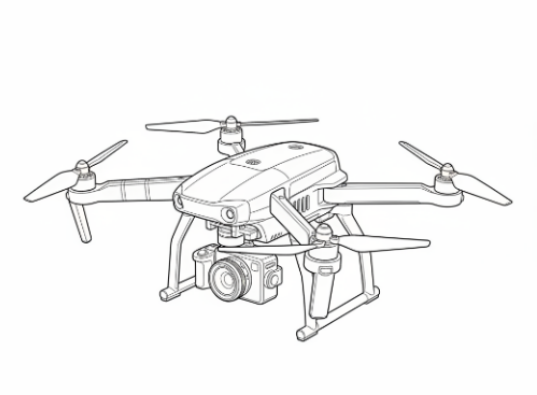
A camera drone is an unmanned aerial vehicle (UAV) equipped with a camera, designed to capture photos and videos from the air. In The Revenant (2015), Alejandro González Iñárritu uses drone shots to capture expansive wilderness landscapes from above, highlighting the isolation of the characters and the enormity of their environment.
In traditional movies such drones are remotely controlled and can hover, move in multiple directions, and reach altitudes that are difficult or impossible for humans to access.
AI models are familiar with the camera drone keyword, and if this keyword is combined with desired “drone movements”, amazing shots can be generated.
In AI video projects camera drone prompts offer several advantages over traditional camera instructions. They allow AI filmmakers to generate smooth, sweeping shots, making aerial cinematography an easy-to-use option.
In the videos used to train AI models, many drones were equipped with advanced stabilization systems, such as gimbals, to ensure steady and professional-quality footage even in windy conditions. This ensures that drone prompts will deliver smooth videos. You can use drone shots to create videos over water, or across challenging terrain in your AI movies.
Once you understand how various camera mount keywords shape the visual storytelling in AI, the next step is to write great prompts that take advantage of such mounting options.
The most exciting videos you will create will be the results of adding the handheld camera keyword augmented by unusual camera angles.
You will also enjoy using the drone shot keyword with drone movement instructions.
Shot size
When you prompt AI video models, you should be familiar with the term shot size. A shot size in filmmaking refers to how much of the subject and their surroundings are visible within the camera frame, defining the viewer’s sense of scale, focus, and intimacy. Shot size ranges from extreme close-ups to sweeping wide shots. Specifying shot size in your prompts ensures the AI delivers the right level of detail and atmosphere. Shot sizes control how much of the scene is visible, from intimate details to vast environments. They guide viewer focus and pacing.
Shot size settings were key to the success of many movies. For example, in Lawrence of Arabia (1962), director David Lean famously uses extreme long shots of the desert to convey the vastness and isolation of the landscape, making Lawrence appear small and almost insignificant against the horizon. Conversely, in Psycho (1960), Alfred Hitchcock relies on tight close-ups of Marion Crane’s eyes and hands to heighten tension and immerse the audience in her fear. The Godfather (1972) often alternates between medium shots for intimate conversations and wider shots to establish the grandeur of the Corleone estate.
The default AI shot size for most models is the medium shot (MS). A medium shot frames a character from roughly the waist up, balancing both expression and surroundings; it is the workhorse of most scripts because it keeps the audience close enough to read emotion yet far enough to see gestures and context. Medium shots let conversations feel natural and keep cuts from feeling jarring.
When you switch to a long or extreme long shot, the human figure shrinks to a small element within a much larger canvas, city streets, mountain ranges, or endless deserts. These shots slow the pace, invite the viewer to absorb scale or isolation, and are perfect for establishing geography, showing a character’s vulnerability, or simply letting silence and scenery carry the moment.
| SHOT SIZE | ||
|---|---|---|
| Keyword | Typical framing | Prompt example |
| extreme close-up (ECU) | Eye, fingertip, gear wheel | ECU of iris reflecting code |
| close-up (CU) | Head and shoulders | CU of the android’s synthetic skin tearing |
| medium close-up (MCU) | Upper chest to top of head | MCU interview with rebel leader |
| medium shot (MS) | Waist up | MS hacker duo exchanging USB key |
| medium wide shot (MWS) | Knees up | MWS shows both agent and mirror clone |
| wide shot (WS) | Full body + environment | WS reveals entire rooftop chase |
| extreme wide shot (EWS) | City, planet, battlefield | EWS cyber-dystopia at dusk |
| long shot (LS) | Subject small, landscape dominant | LS lone figure crosses digital wasteland |
| extreme long shot (ELS) | Subject nearly lost in vista | ELS satellite view of orbital debris field |
Table 6.2 - Shot size keywords
Camera motion (intensity & speed modifiers)
How a camera moves can completely alter the rhythm of a scene. Motion intensity affects how noticeable the movement feels, while speed dictates pacing and tension. A slow push draws viewers in with intimacy, while a rapid whip-pan floods them with urgency. By combining intensity and speed cues, you can tune the emotional undercurrent of your video with precision. For example, in Goodfellas (1990), Martin Scorsese’s long, fluid tracking shot through the Copacabana nightclub demonstrates normal camera motion with steady, cinematic pacing, drawing the audience smoothly into the scene while maintaining a sense of continuity and scale. In contrast, Saving Private Ryan (1998) uses wild, rapid handheld motion during its beach landing sequences to immerse viewers in chaos and urgency, with jittery movement and sudden shifts amplifying tension and conveying the disorientation of battle.
| Camera Motion Intensity | ||
|---|---|---|
| Keyword | Visual | Prompt example |
| normal camera motion | Fluid, cinematic | normal camera motion, stabilized gimbal, cinematic pace |
| strong camera motion | Noticeable movement, energetic | strong camera motion, energetic dolly, visible parallax |
| wild camera motion | Chaotic, shaky, urgent | wild camera motion, handheld, jittery, extreme shakes |
Table 6.3 - Camera motion intensity keywords
To reach you desired effect, you must describe both camera motion intensity and speed in AI prompts. Intensity controls how much movement is perceived; speed controls timing.
| Camera Motion Speed | ||
|---|---|---|
| Keyword | Effect | Prompt example |
| slow | Intimate, suspenseful | slow camera push, long dolly in, 6-12s move |
| fast | Urgency, action | fast whip pan, rapid tracking, 0.5-2s move |
| variable | Build or release tension | slow then fast acceleration, ease-in ease-out |
Table 6.4 – Camera motion speed keywords
You may combine all of the above into your AI prompt. For example, you can write: ”low angle shot, extreme close-up, handheld camera, strong camera motion, fast pan” into a single prompt.
Camera movement (direction & style)
Camera movement is one of the most expressive tools in visual storytelling. Controlling video generation with motion trajectories [14] is a hot topic. While controlling motion, a tilt upward can transform a mundane reveal into a moment of awe, while an orbiting arc can highlight a character’s importance or mystery. These directional movements and stylistic choices guide your audience’s eye, shaping what they focus on and how they feel about it. Clear movement prompts give the AI a cinematic language to follow.
Use the following instructions to direct the AI video creation tool to get the best results:
| Camera Movement | ||
|---|---|---|
| Keyword | AI interpretation | Prompt example |
| static camera | No motion, locked-off tripod. | static CU |
| push-in | Dolly/Zoom toward subject. | slow push-in to ECU of eye |
| pull-back | Dolly/Zoom away for reveal. | fast pull-back revealing battlefield |
| zoom-in / zoom-out | Lens zoom without dolly move. | snap zoom-in on badge |
| pan left / right / up / down | Horizontal or vertical rotation on tripod. | pan right following drone |
| tilt up / down | Vertical camera tilt. | tilt up from boots to face |
| arc shot | Camera orbits subject on curved path. | 180° arc shot around cyborg |
| tracking forward / backward | Camera on rails/vehicle moving toward/away. | tracking forward through neon tunnel |
| crane up / crane down | Vertical boom movement. | crane up revealing rooftop sniper |
| handheld | Un-stabilized, documentary feel. | handheld chase POV |
| gimbal smooth | Stabilized floating motion. | gimbal smooth orbit around dancer |
| roll 360° | Camera spins on optical axis. | barrel roll 360° inside VR headset |
Table 6.5 – Camera movement keywords
To achieve camera movement in AI prompts a great real life tool called the dolly can be referred to as a keyword. The type of shot where the camera moves smoothly toward or away from a subject, typically using a wheeled platform or track system is called the dolly. This type of movement creates a sense of depth and immersion, often used to emphasize a subject, reveal new information, or follow action. The camera remains fixed on the dolly, ensuring steady, controlled motion, unlike handheld or Steadicam shots.
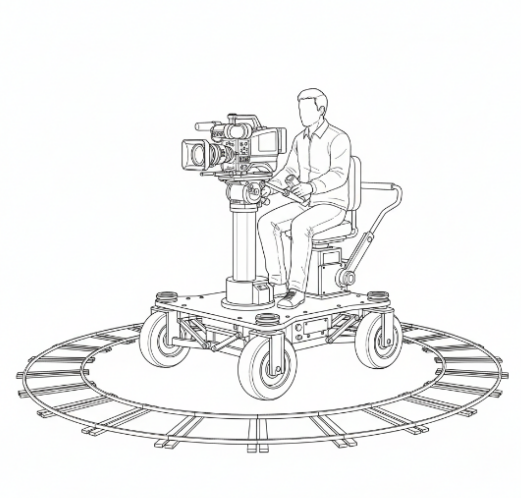
Dolly in: Camera moves closer to the subject, intensifying focus or emotion.
Dolly out: Camera moves away, often broadening the scene.
In a film, a dolly-in shot might zoom in on a character’s face during a dramatic moment, while a dolly-out could reveal a vast landscape. For example, in Jaws (1975), Steven Spielberg uses dolly-in to gradually close in on Chief Brody’s face as he realizes the shark is near, intensifying suspense and drawing the audience into his fear. Conversely, in The Grand Budapest Hotel (2014), Wes Anderson often employs dolly-out shots to pull back and reveal the meticulously designed sets and symmetrical compositions, giving viewers a sense of scale and context while maintaining a whimsical, controlled perspective.
When you use the dolly keyword in your AI prompts, it is a good practice to specify the pacing of the camera and the direction as well.
A common Hollywood practice is to use camera movement to control the audience’s discovery of details. A dolly in or a pan across a cluttered lab can gradually reveal a key object, while a crane down might expose hidden danger. You can try these in your AI prompts and you will be amazed at the results.
Lens & focal length
In film making lenses aren’t just technical tools, they shape how space and characters are perceived. A wide lens expands environments and exaggerates perspective, while a telephoto lens compresses distance and isolates subjects. Specifying a lens type or focal length in your AI prompts lets you dictate whether a scene feels expansive, intimate, surreal, or grounded in realism.
For example, wide-angle lenses were used in Dunkirk (2017) by Christopher Nolan to capture the vastness of the beach and the intensity of the evacuation. You can use similar effect by using the “wide-angle lens” keyword in your prompts.
Try the following lens type keywords in your AI prompts:
| Camera lens type | ||
|---|---|---|
| Keyword | Equiv. mm | Prompt example |
| fisheye lens | 8–16 mm | 180° barrel distortion, ultra-wide, comedic or claustrophobic. |
| ultra-wide lens | 14–24 mm | Expansive space, slight edge warp, Go-Pro feel. |
| wide lens | 24–35 mm | Standard establishing, minimal distortion, documentary. |
| medium lens / normal lens | 35–70 mm | Human-eye perspective, flattering portraiture. |
| long-focus / telephoto lens | 85–400 mm+ | Compressed depth, isolates subject, shallow DOF. |
Table 6.6 – Camera lens type keywords
Camera Focus & depth-of-field
Focus is the foundation of visual storytelling because it determines what the audience sees clearly and what fades into softness. By using the “focus” keyword in your AI prompts, you can control where to place sharpness in the frame and where to direct attention. A subject in focus against a blurred background feels immediate and intimate, while a frame where everything is crisp can feel expansive and observational. In this way, focus is more than a keyword, it is a storytelling choice that signals what matters most in a shot.
Closely connected to focus is depth of field (DOF), which describes the range of distance in front of the lens that appears sharp. A shallow DOF creates a razor-thin slice of clarity, such as when only an actor’s eyes are sharp while the rest dissolves into blur, creating intimacy or dreamlike isolation. A deep DOF keeps both foreground and background sharp, allowing a chess piece on the table and a skyline far away to coexist in equal detail. AI video creators use the DOF, focal length and camera-to-subject distance keywords to adjust depth of field and focus.
To better understand how focus and DOF can be used, think about La La Land (2016), where Damien Chazelle frequently uses shallow DOF to isolate characters against blurred backgrounds, drawing the audience’s attention to subtle emotions and expressions during intimate musical moments. Conversely, in Blade Runner 2049 (2017), Denis Villeneuve often employs deep focus, keeping foreground and background elements sharp to highlight the vast, layered environments of the futuristic cityscape, allowing viewers to absorb both character actions and intricate set details simultaneously. These choices show how controlling focus and depth of field can guide viewer attention and define spatial relationships.
To sum it up, both focus and depth of field shape how viewers interpret a scene. Shallow focus can pull the audience into a character’s inner world, while deep focus situates them in a broader environment with context and scale. These principles also apply in AI video prompts: specifying focus or describing DOF helps you control how a generated image or shot feels. Use the shallow depth of field keyword to isolate a subject with a dreamy effect, while deep focus to immerse viewers in layered details. By being deliberate about focus and DOF in your prompts, you can guide attention, enhance storytelling, and add layers of meaning to your creations.
| Camera focus | ||
|---|---|---|
| Keyword | AI behavior | Prompt example |
| focus on eyes | Rack focus to subject’s eyes. | MCU focus on eyes |
| focus pull | Smooth rack focus between two planes. | focus pull from gun to badge |
| shallow DOF | Background melts into creamy highlights. | shallow DOF bokeh city lights |
| deep focus | Everything sharp, Citizen Kane style. | deep focus entire warehouse in crisp detail |
| soft foreground | Foreground blooms into dreamy blur, subject sharp beyond. | soft foreground blur, model in clear focus |
| macro snap | Instant shift from fingertip texture to full-face clarity. | macro snap fingertip to portrait |
| iris reveal | Concentric bokeh circles close then open like a camera shutter. | iris bokeh reveal city skyline |
| tilt-shift | Miniature effect makes real street look like toy diorama. | tilt-shift city street cars as tiny toys |
Table 6.7 – Camera focus keywords
Camera control recipes
Combining camera control keywords into structured “recipes” is the fastest way to achieve cinematic results. AI prompt recipes take the guesswork out of sequencing angles, motions, and lenses, giving you ready-made templates to create heroic reveals, tense buildups, or dynamic chase sequences. They’re practical shortcuts you can reuse multiple times.
Hint: You can build your video creation framework, by designing prompt recipes and reusing them throughout your videos. Use the Video Prompt Cookbook template from the Appendix section, or download the Microsoft Excel version from videcool.com.
Example recipes:
Recipe A: Hero Reveal
Use: C (Camera control)
Prompt: “extreme wide drone shot at sunrise, slow push-in to medium wide, low angle, lens flare, focus on silhouette”
Recipe B: Tension Build
Use: C (Camera control)
Prompt: “handheld dutch angle close-up, slow zoom-in on ticking timer, shallow DOF, sweat droplet in foreground”
Recipe C: Chase Sequence
Use: C (Camera control)
Prompt: “fast gimbal tracking forward, ultra-wide lens, neon reflections, whip-pan transitions”
Pro tips & troubleshooting
Tip: When you specify camera movement instructions, order matters. Put the most important cue first.
Tip: Stabilize shaky prompts. Add gimbal or tripod after handheld to request post-stabilization.
Tip: If your tool ignores lens keywords, describe the look in plain English.
Tip: Combine camera movement keywords with lighting, lens and color grading keywords for predictable output. Example: “arc around the woman, 35mm, golden hour lighting, warm cinematic grade, shallow depth of field.
Tip: For each 5-10 video segment, first identify the desired effect, and then write the corresponding camera control prompt like: "A dramatic scene with a low angle shot, camera zooming in slowly on the hero's face."
Tip: One non-intuitive fact is that you can combine shot size keywords. For example, you can use WS-ELS in a single prompt segment for a drone shot request to define altitude and a wide, long view. Another example could be a tracking shot, that can be improved with a size keyword for precision: CU tracking shot. An arc shot can also be improved with WS or MWS to show 360° reveal.
Tip: Use shot transitions. Instead of only describing one camera instruction, chain them together with “then” or commas. Example: “crane up revealing rooftop, then fast dolly-in to close-up of sniper’s eyes.”
Tip: Layer mount + motion. Mount keywords like “gimbal,” “handheld,” or “drone” get stronger when paired with a movement. Example: “handheld pan left” feels chaotic, while “gimbal pan left” feels silky.
Camera control do's and don'ts
| Do ✅ | Don’t ❌ |
|---|---|
| ✅ Be explicit about direction, speed and timing. | ❌ Assume the AI will move the camera for you. |
| ✅ Combine camera movement with lens and DOF tokens for predictable results. | ❌ Clutter prompts with competing instructions (e.g., "static" + "handheld"). |
| ✅ Make sure camera movement keywords are ordered properly | ❌ Forget to mention stabilization if you want smooth moves. |
| ✅ Specify timing for camera moves (e.g., slow push-in, fast whip-pan). | ❌ Leave focus vague when the subject’s eyes must be sharp. |
| ✅ Use lighting and time-of-day descriptors to influence camera mood and exposure | ❌ Stack contradictory style keywords (e.g., “HDR” + “low-contrast”). |
| ✅ Include environmental cues in your prompt | ❌ Mix camera mount types in a single prompt. |
| ✅ Test short camera control prompts and iterate one change at a time. | ❌ Ignore background details when using shallow or deep focus |
| ✅ Include reference aspect ratios (e.g., 16:9, 1:1) as they affect camera control. | ❌ Assume AI will correctly orient characters or objects without guidance. |
Putting it into practice
Start small: pick one movement (e.g., push in), pick a focal length (e.g., 85mm), and a tempo (e.g., slow 8s). Run 2–3 variations (faster, wider lens, different focus) and compare. Over time you'll learn how different token orders and adjective choices change the result.
A useful way to practice is to treat camera prompts like rehearsal notes. Just as a director would block a scene with actors and crew before rolling, you can block out your AI video shot by sequencing small, testable instructions.
Examples
The following example prompts and their corresponding videos illustrate the concepts outlined in this chapter. The videos can be viewed online, by scanning the QR code below, or by opening the URL in your browser:
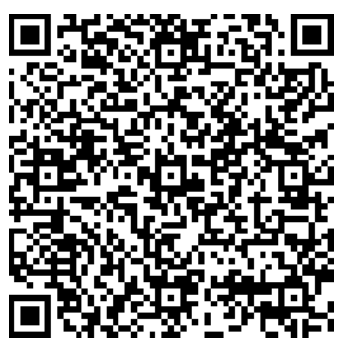
https://videcool.com/p_9043-camera-movement-examples.html
Scan this QR code to open the webpage at videocool.com containing the example prompts along with the generated videos.